AI developer tooling / Tutorial
Beyond Tools: MCP Resources, Prompts, and Sampling, Explained by Building
Tools get all the attention, but MCP's resources, prompts, and sampling are what make a server feel native. Build a small server that uses all three.
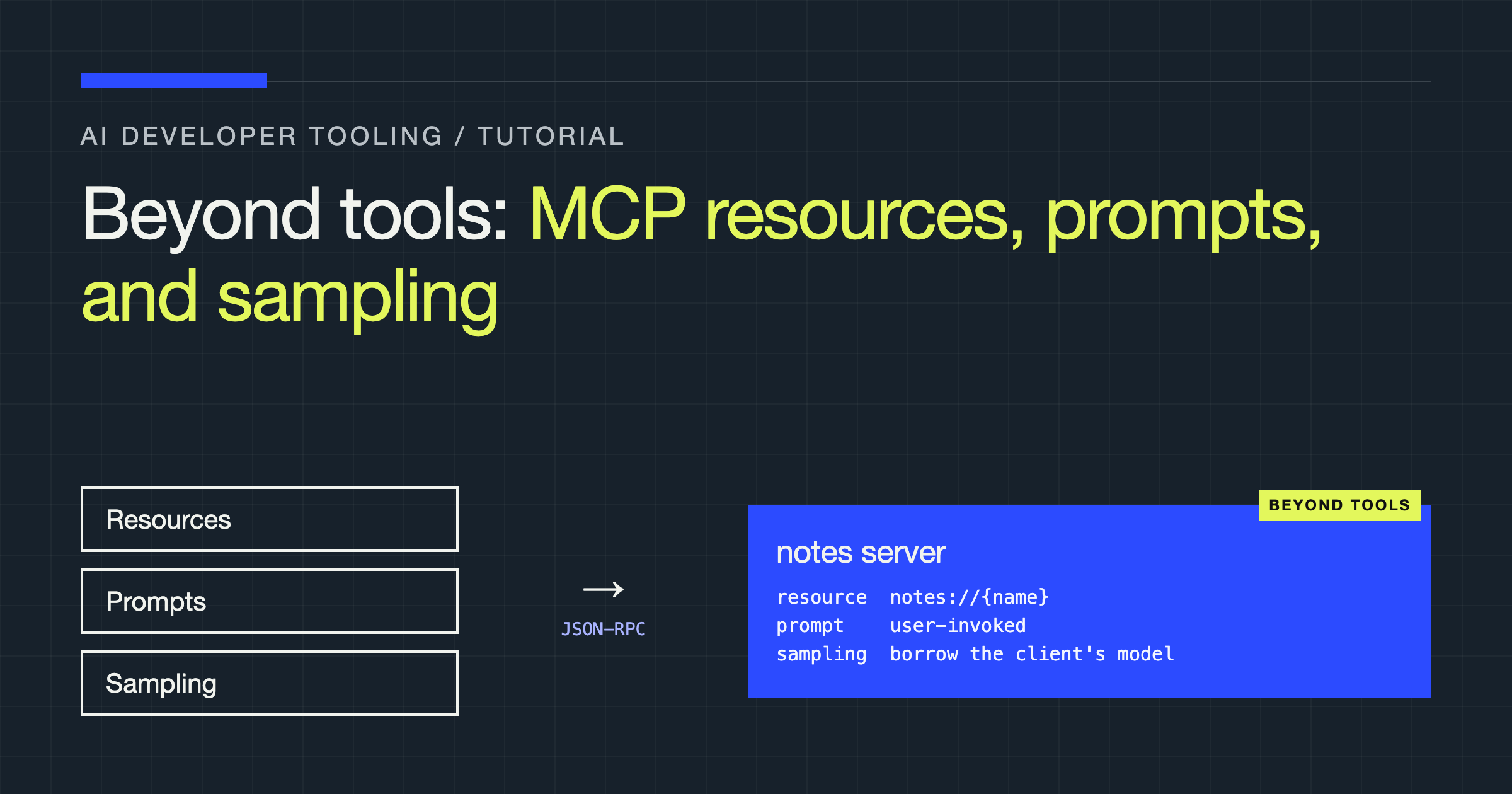
You will build a small Model Context Protocol (MCP) server in TypeScript that serves a folder of project notes three different ways: as resources the host application can browse and attach, as a prompt the user can invoke by name, and with sampling, where the server asks the client’s model to do a piece of reasoning on its behalf. By the end you will know which primitive fits which job, because choosing wrong is the most common MCP design mistake: everything becomes a tool, and the user experience quietly degrades.
Tools are the famous primitive because they demo well. But a protocol made only of tools forces every interaction through the model, mid-conversation, at token cost, whether or not the model needed to be involved. The other three primitives exist to cover the cases where that is the wrong shape.
The mental model
| Primitive | Controlled by | MCP shape | Use it when |
|---|---|---|---|
| Tools | The model | Functions the model may call during a conversation | Actions and lookups the model should decide to use |
| Resources | The application and user | Addressable content with URIs, listed and read on demand | Data the user or app should browse, attach, or pin |
| Prompts | The user | Named, templated message sequences | Repeatable workflows users invoke explicitly, like a slash command |
| Sampling | The server, via the client | Server asks the client’s model to generate text | The server needs reasoning but ships no model or API key of its own |
The control column is the whole lesson. Resources are application-controlled: the host decides what to include in context, often because the user picked it. Prompts are user-controlled: a human chooses to run them. Tools are model-controlled. Sampling inverts the usual flow entirely: the server requests a completion, and the client, which owns the model and the user’s trust, decides whether to allow it.
Step 1: Scaffold the server
mkdir notes-mcp && cd notes-mcp
npm init -y
npm install @modelcontextprotocol/sdk zodimport { McpServer, ResourceTemplate } from "@modelcontextprotocol/sdk/server/mcp.js";
import { StdioServerTransport } from "@modelcontextprotocol/sdk/server/stdio.js";
import { z } from "zod";
import { promises as fs } from "node:fs";
import path from "node:path";
const NOTES_DIR = path.resolve(process.env.NOTES_DIR ?? "./notes");
const server = new McpServer({
name: "notes-server",
version: "1.0.0",
});Step 2: Expose the notes as resources
Each note becomes a resource with a URI like notes://architecture-decisions. The host can list these in a picker, the user can attach one to a conversation, and the model never has to “decide” to fetch context the user already chose.
server.resource(
  "note",
  new ResourceTemplate("notes://{name}", { list: undefined }),
  async (uri, { name }) => {
    const file = path.join(NOTES_DIR, `${name}.md`);
    const text = await fs.readFile(file, "utf8");
    return {
      contents: [{ uri: uri.href, mimeType: "text/markdown", text }],
    };
  },
);
Two design decisions hide in this short handler. First, the URI is the API: keep resource URIs stable, human-readable, and independent of your storage layout, because hosts cache and re-read them. Second, reads can fail, and a missing note should return a protocol error, not an empty document. An empty resource teaches the model to confabulate around a gap it cannot see; an error teaches the host to tell the user the truth.
Use resource templates when the space of content is dynamic (files, database rows, tickets) and plain resources when it is fixed. And resist the urge to also ship a get_note tool that does the same thing: duplicated surfaces confuse model tool selection and double your maintenance for no benefit. Pick the primitive by who controls the flow, then commit.
Step 3: Add a user-invoked prompt
Your team keeps asking the model to review design notes the same way, and retyping the instructions every time. That is a prompt: a named template the user runs deliberately, with arguments.
server.prompt(
  "critique-note",
  {
    name: z.string().describe("Note name, without extension"),
    focus: z.string().optional().describe("Aspect to emphasise, e.g. risks"),
  },
  async ({ name, focus }) => {
    const text = await fs.readFile(path.join(NOTES_DIR, `${name}.md`), "utf8");
    return {
      messages: [
        {
          role: "user",
          content: {
            type: "text",
            text:
              `Critique the following project note. Be specific: name the ` +
              `weakest assumption, the missing decision, and one concrete ` +
              `question the author should answer next.` +
              (focus ? ` Emphasise: ${focus}.` : "") +
              `\n\n---\n${text}`,
          },
        },
      ],
    };
  },
);
Prompts earn their place when the workflow is curated: your team has agreed on the shape of a good critique, and the prompt encodes that agreement. The host typically surfaces prompts as slash commands or menu items, which means a human sees the name, understands what will happen, and opts in. A tool with the same content would instead fire at the model’s discretion, which is a different product, not a shortcut to the same one.
Keep prompt arguments minimal and honest. If the prompt always needs the note contents, fetch them server-side as above rather than asking the user to paste; the argument list is a user interface, and every field you add is friction you chose.
Step 4: Let the server borrow the client’s model with sampling
Now the interesting inversion. Suppose you want a summarize-note tool that condenses a long note, but your server is a small local process with no model credentials and no business holding any. Sampling solves this: the server sends a completion request back through the client, the client runs it against the model the user already pays for and trusts, and returns the result.
server.tool(
  "summarize-note",
  { name: z.string() },
  async ({ name }) => {
    const text = await fs.readFile(path.join(NOTES_DIR, `${name}.md`), "utf8");
    const result = await server.server.createMessage({
      messages: [
        {
          role: "user",
          content: {
            type: "text",
            text: `Summarise this project note in at most five bullet points. ` +
                  `Keep decisions and open questions; drop background.\n\n${text}`,
          },
        },
      ],
      maxTokens: 600,
    });
    const summary =
      result.content.type === "text" ? result.content.text : "(no summary)";
    return { content: [{ type: "text", text: summary }] };
  },
);
Three obligations come with this power. First, clients may refuse: not every host implements sampling, and users can deny requests, so your tool must handle a rejected or errored sampling call as a normal outcome. Second, the human is in the loop by design: hosts are expected to show sampling requests to the user, which means your server should ask for completions rarely and for clear reasons, or users will learn to deny you by default. Third, you do not choose the model: you can express a preference through model hints, but the client decides, so write sampling prompts that work on a competent general model rather than depending on one vendor’s quirks.
Connecting it
const transport = new StdioServerTransport();
await server.connect(transport);
Point your MCP host at the compiled file and you can browse the notes as resources, run /critique-note as a prompt, and call the summarize tool, which quietly borrows the host’s model to do its reasoning.
Where teams go wrong
- Everything is a tool. File browsing becomes
list_filesplusread_file, and the model burns turns and tokens reconstructing a picker the host could have rendered from resources for free. - Prompts that are really documentation. A prompt nobody invokes deliberately, with six required arguments, is a form, not a workflow. If users cannot remember its name, it is not a prompt.
- Sampling as a free LLM API. Servers that sample aggressively get blocked by clients and distrusted by users. Sampling is for occasional reasoning inside a task the user started, not a compute subsidy.
- Resources that mutate. Resources are read surfaces. The moment a “resource” writes state, you have built an action with no confirmation semantics; make it a tool, where hosts know to ask.
Verdict
Design MCP servers by asking one question per capability: who should control this, the model, the user, or the application? Actions the model chooses are tools. Content the app or user selects is a resource. Workflows a user runs on purpose are prompts. Reasoning the server needs but should not own is sampling. Teams that answer that question honestly ship servers that feel native in every host; teams that skip it ship a bag of tools and wonder why the experience feels like driving a file manager through a chatbot.