DevOps & observability / Tutorial
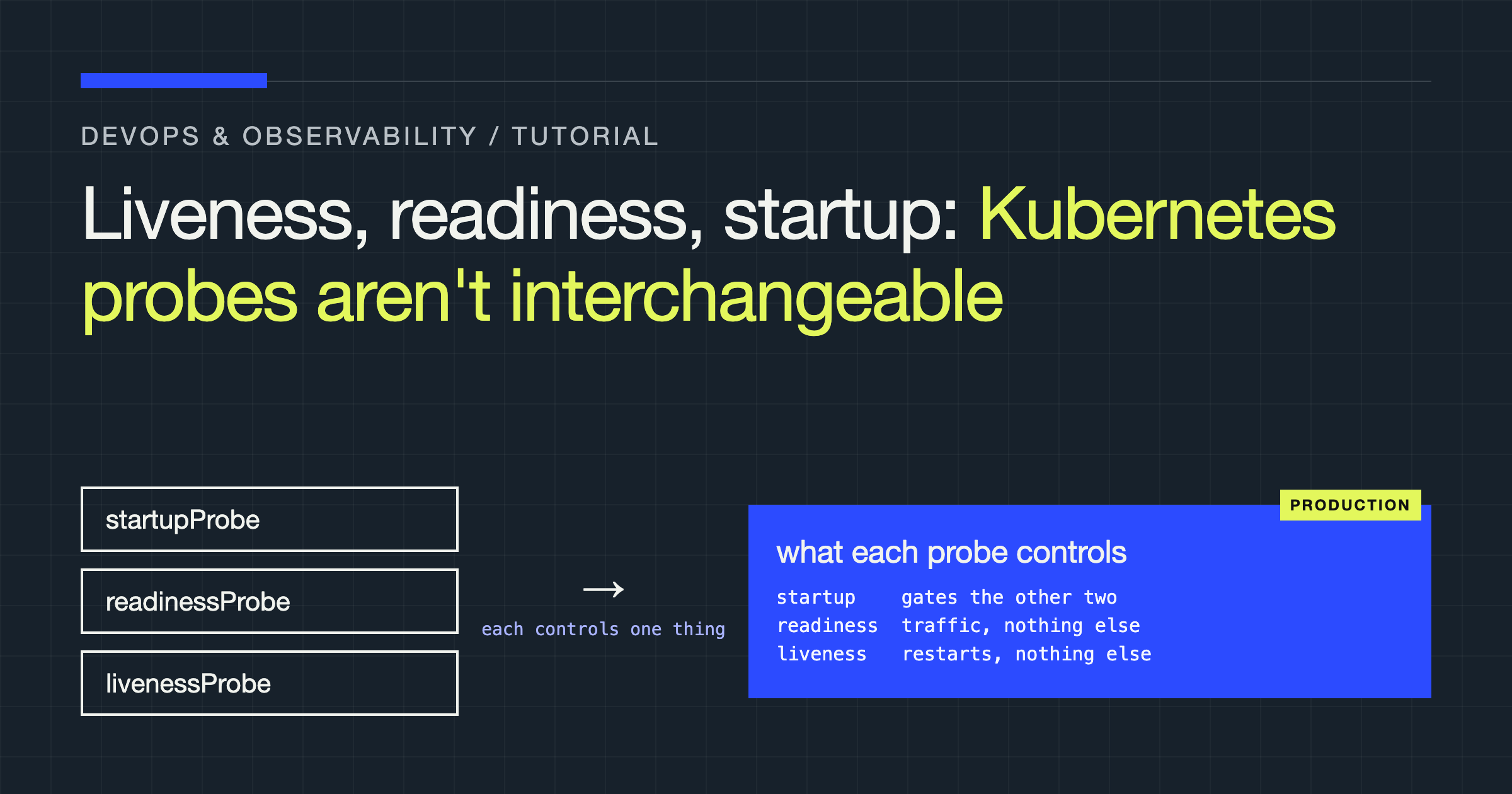
Kubernetes Probes Aren't Interchangeable: Liveness, Readiness, and Startup in Production
Learn what liveness, readiness, and startup probes actually control, how they fail in production, and how to configure all three correctly.
You will learn how to decide which probe your container needs, configure each one without creating restart cascades or traffic black holes, and ship a production-ready Deployment that handles slow starts, deadlocks, and downstream failures correctly. By the end, you will be able to read any probe configuration and predict what Kubernetes will do when your application hangs, boots slowly, or loses a dependency.
Most probe bugs come from a category error: treating three different control mechanisms as if they were three spellings of the same health check. Swapping one for another changes whether a Pod gets restarted, removed from traffic, or killed before it finishes starting.
The Three Probes Control Three Different Things
Each probe answers a different question, and Kubernetes acts on the answer differently.
A liveness probe answers: is this container deadlocked or otherwise unrecoverable without a restart? If it fails enough times in a row, the kubelet restarts the container in place. The Pod object stays, its IP stays, and no new Pod is created.
A readiness probe answers: should this Pod receive traffic right now? If it fails, Kubernetes removes the Pod’s IP from the endpoints of every Service that selects it. The container is not restarted. When the probe succeeds again, the Pod is added back automatically.
A startup probe answers: has this container finished starting yet? While it is configured and has not yet succeeded, both liveness and readiness probes are disabled. Once it succeeds once, it never runs again for the lifetime of that container, and liveness and readiness take over.
| Probe | Question it answers | On failure | On success | Runs when |
|---|---|---|---|---|
| Startup | Has startup finished? | Container is restarted after failureThreshold failures | Liveness and readiness are enabled | Only until first success |
| Liveness | Is the container dead and needing a restart? | Container is restarted | Nothing changes | After startup succeeds, for container lifetime |
| Readiness | Should this Pod get traffic now? | Pod removed from Service endpoints | Pod added to Service endpoints | After startup succeeds, for container lifetime |
That table is the whole model. Every production incident in this article is a case of expecting one row and configuring another.
How Probe Handlers Actually Work
All three probes share the same three handler types. Choosing a handler is a separate decision from choosing a probe type.
An httpGet probe succeeds when the endpoint returns a status code greater than or equal to 200 and less than 400. It is the default choice for services that already serve HTTP because you control the semantics: you decide what the handler checks and what it deliberately does not check.
A tcpSocket probe succeeds when the kubelet can open a TCP connection to the port. It proves the process is listening, nothing more. It cannot tell a healthy application from a deadlocked one that still accepts connections. Use it for non-HTTP protocols with no cheap health endpoint, and accept its limits knowingly.
An exec probe succeeds when the command exits with code 0. It is the most flexible and the most expensive option, and it requires the tool you invoke to actually exist in the image. A probe that fails because curl or a shell is missing in a distroless image looks identical to an application failure, so verify the binary is present before you rely on it.
You can also set httpHeaders, a custom path and port, scheme: HTTPS, and host on httpGet. Prefer a named port over a number, so the probe follows the container definition if you renumber ports.
Liveness Probes: Restart, and Nothing Else
Restarting is a blunt instrument. It is the right response to exactly one class of failure: a process that is alive at the operating system level but will never make progress again. Deadlocks, wedged thread pools, and corrupted in-memory state that no request can clear belong in this category.
Your liveness handler should therefore check almost nothing. It should prove the process can still run its own event loop or request handler. It should not open a database connection, call another service, check disk space on a shared volume, or wait on a lock held by background work.
Consider the classic cascade. You point liveness at a deep health endpoint that pings the database. The database slows down or becomes briefly unreachable. Every Pod fails liveness at roughly the same time. The kubelet restarts every container. All of them start at once, open connection storms against an already struggling database, fail their checks again, and restart again. You have converted a dependency problem, which readiness could have handled by shedding traffic, into an availability problem of your own making.
Keep liveness shallow, cheap, and independent:
livenessProbe:
  httpGet:
    path: /healthz/live
    port: http
  periodSeconds: 10
  failureThreshold: 3
  timeoutSeconds: 2
In code, /healthz/live should return success without touching any external system. If you cannot describe a failure mode where a restart fixes the problem, you do not need a liveness probe for that mode. Many runtimes are better off with no liveness probe than with an aggressive one, because the kubelet cannot distinguish a slow container from a dead one except by the thresholds you give it.
Readiness Probes: Traffic, and Nothing Else
Readiness is where dependency awareness belongs, with care. If your Pod cannot serve a useful response without its cache warmed, its configuration loaded, or its primary datastore reachable, readiness is the mechanism that keeps traffic away until that is true and pulls the Pod back in when it recovers, without a restart.
That reversibility is the point. Readiness failures are expected during deploys, dependency blips, and overload. Nothing is destroyed. The Pod stays running and rejoins the Service when it can work again.
Two failure modes dominate. The first is sharing the liveness handler. If readiness and liveness use the same deep check, you lose the distinction entirely: anything that should only pause traffic will also trigger restarts. Give them separate paths, even if today they look similar, so their semantics can diverge safely.
The second is a readiness check that is stricter than your actual ability to serve. If the endpoint requires every optional downstream to be healthy, a failure in a non-critical integration removes otherwise capable Pods from rotation, concentrates load on the survivors, makes them slower, risks failing their checks too, and shrinks capacity exactly when you need it most. Check only what a request through this Service truly needs.
readinessProbe:
  httpGet:
    path: /healthz/ready
    port: http
  periodSeconds: 5
  failureThreshold: 3
  timeoutSeconds: 2
  successThreshold: 1
Note also what readiness does not do. It does not stop a Pod from being reached directly by IP, and a Pod with no readiness probe is considered ready as soon as its containers start. If you rely on readiness to protect a warm-up sequence, the probe has to exist before that protection means anything.
Startup Probes: The Gatekeeper for Slow Starts
Slow-starting applications expose a gap neither of the other probes covers well. If you give a JVM service, a large model server, or an application that runs migrations and cache warming on boot a normal liveness probe, the kubelet starts counting failures while the process is still legitimately starting. With a short period and a low threshold, it kills the container mid-startup. The container restarts, starts booting again from zero, gets killed again, and enters a loop where it can never finish the work that would make it healthy.
Increasing initialDelaySeconds on the liveness probe is the old workaround, and it is fragile: set it too short and you still kill slow starts on loaded nodes; set it too long and a genuinely deadlocked fresh container sits undetected for that entire window on every restart.
A startup probe replaces the guess with a budget. You express the maximum startup time you will tolerate as periodSeconds multiplied by failureThreshold, and during that window liveness cannot kill the container.
startupProbe:
  httpGet:
    path: /healthz/live
    port: http
  periodSeconds: 5
  failureThreshold: 30
  timeoutSeconds: 2
This example allows a generous startup window while checking frequently, so a fast start is detected quickly and a slow start is not punished. Reuse the shallow liveness path here: during startup you are asking whether the process has come up, not whether every dependency is ready. Readiness still gates traffic after startup succeeds, so a Pod that boots but is not yet able to serve will not receive requests prematurely.
If your application starts fast and reliably, you may not need a startup probe at all. Add one when startup time is variable, not as ceremony for every Deployment.
Tuning Without Guessing
Four fields decide how every probe behaves, and they interact, so tune them as a system rather than copying values from another workload.
initialDelaySeconds delays the first check. It is largely redundant when a startup probe is present, because liveness and readiness are already disabled until startup completes. Without a startup probe, it is your only protection against checking too early.
periodSeconds is how often the kubelet runs the check. Shorter periods detect failure faster and add more load and more log noise. Readiness usually justifies a shorter period than liveness, because adding and removing endpoints is cheap and reversible, while a restart is not.
timeoutSeconds is how long a single check may take before it counts as a failure. If your handler can legitimately take longer than the timeout under load, you will record failures for a process that was merely slow. Keep handlers fast enough that a tight timeout is honest.
failureThreshold is how many consecutive failures trigger the action. The effective detection time is roughly periodSeconds multiplied by failureThreshold. Raise the threshold to ride out transient blips; lower it to react faster. successThreshold must be 1 for liveness and startup probes, and for readiness it controls how many consecutive successes are needed before a Pod returns to the endpoints.
A Production-Ready Worked Example
This Deployment combines all three probes with separate handlers, a startup budget for a slow-booting application, and a readiness check that reflects real serving ability.
apiVersion: apps/v1
kind: Deployment
metadata:
  name: api
  labels:
    app: api
spec:
  replicas: 3
  selector:
    matchLabels:
      app: api
  template:
    metadata:
      labels:
        app: api
    spec:
      terminationGracePeriodSeconds: 30
      containers:
        - name: api
          image: example.com/api:stable
          ports:
            - name: http
              containerPort: 8080
          startupProbe:
            httpGet:
              path: /healthz/live
              port: http
            periodSeconds: 5
            failureThreshold: 30
            timeoutSeconds: 2
          livenessProbe:
            httpGet:
              path: /healthz/live
              port: http
            periodSeconds: 10
            failureThreshold: 3
            timeoutSeconds: 2
          readinessProbe:
            httpGet:
              path: /healthz/ready
              port: http
            periodSeconds: 5
            failureThreshold: 3
            timeoutSeconds: 2
            successThreshold: 1
          lifecycle:
            preStop:
              exec:
                command: ["/bin/sh", "-c", "sleep 5"]
Read it in order. The startup probe gives the container a bounded window to come up, checking the shallow endpoint. Once it passes, liveness watches that same endpoint and will only restart a container that appears wedged. Readiness uses a different endpoint that verifies the process can do useful work, and it alone controls Service membership. No probe here checks an optional downstream, and no dependency failure can cause a restart.
Probes and Shutdown: The Other Half of the Lifecycle
Probe behaviour at termination surprises teams because two things happen on different clocks. When a Pod is deleted, it is removed from Service endpoints and its containers receive SIGTERM. Propagation is not instantaneous, so a terminating Pod can still receive requests for a short window.
That is what the preStop sleep in the example is for: it gives endpoint removal time to propagate before the process stops serving, provided your application also handles SIGTERM by draining in-flight work and exiting cleanly. terminationGracePeriodSeconds is the total budget for all of this. If graceful shutdown takes longer than that budget, the kubelet sends SIGKILL and in-flight work is lost regardless of your handlers. Size the grace period from your real drain behaviour, and make sure the preStop delay plus your drain time fit inside it with room to spare.
Verdict: What to Ship
Ship all three probes only when each one has a distinct job. Use a startup probe when startup time is slow or variable, with a budget expressed as period times threshold rather than a guessed delay. Always separate your liveness and readiness handlers: make liveness shallow, dependency-free, and restart-worthy, and make readiness reflect only what serving a real request requires. Prefer httpGet where you control the endpoint, tcpSocket only when listening is the strongest signal you have, and exec only when the binary is guaranteed to exist in the image.
If you change nothing else, audit your Deployments for the two highest-risk patterns: a liveness probe that touches a database or downstream service, and a missing startup probe on anything that boots slowly. Fixing those two alone removes the restart cascade and the startup kill loop. Probes are not a health dashboard. Configured by function, they are three precise switches: one gates startup, one gates traffic, and one, used sparingly, restarts what cannot recover on its own.