Documentation & DX / Tutorial
Diátaxis, Applied: Reorganising a Real Docs Site Without a Six-Month Rewrite
A field guide to applying the Diátaxis framework incrementally: audit what you have, split the pages that do two jobs, and move content in slices readers never notice.
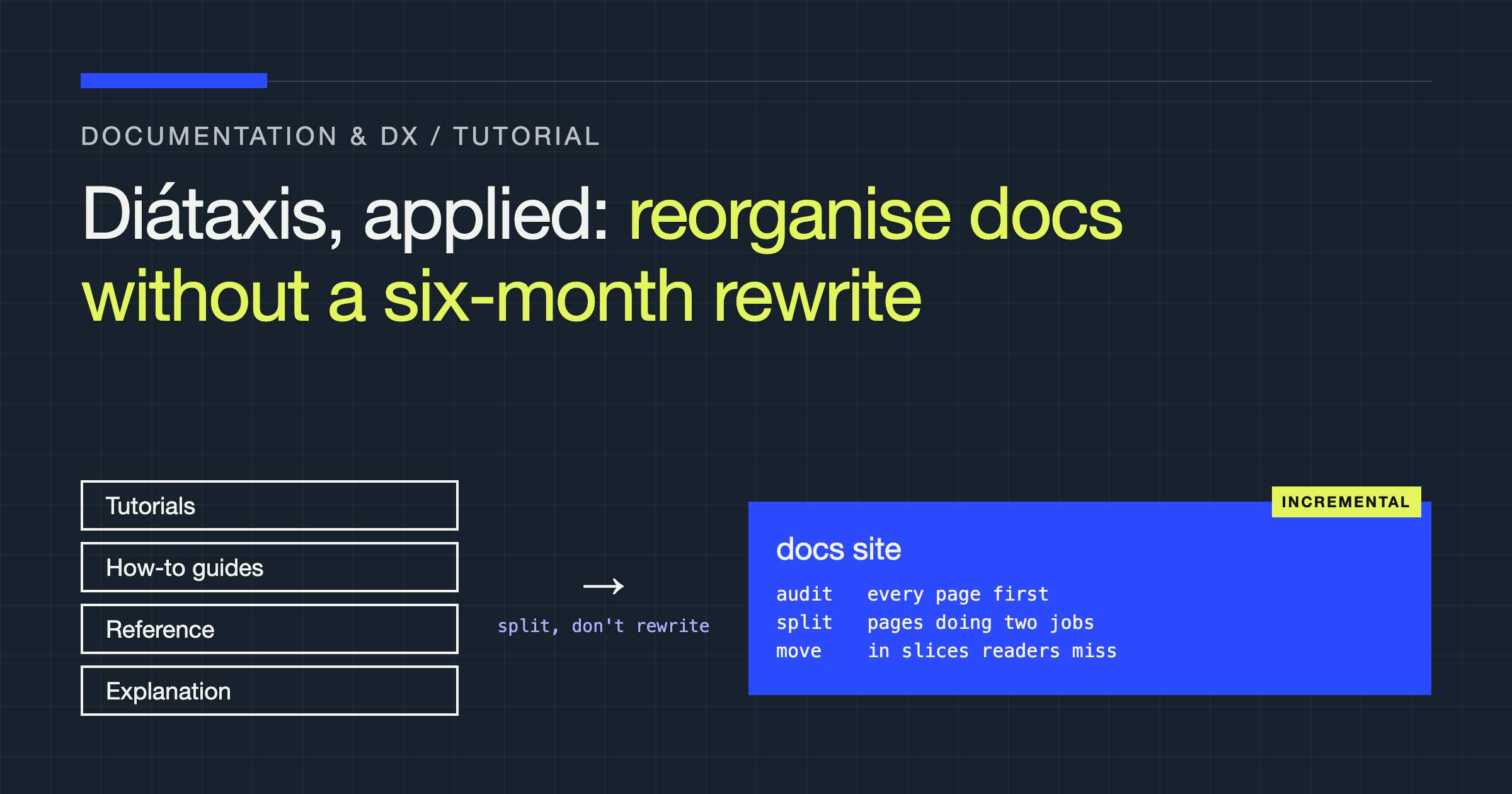
You will leave this tutorial with a working method for applying Diátaxis to a living documentation site in slices — no freeze, no big-bang relaunch, no six months of writing into a branch nobody merges. The framework itself is simple. The hard part, and the part most adoption attempts fumble, is sequencing the change so readers keep finding answers while you rebuild the shelves underneath them.
The framework in one paragraph, honestly
Diátaxis divides documentation by the reader’s situation, along two axes: whether they are learning or working, and whether they need action or understanding. The four quadrants are tutorials (learning by doing, under guidance), how-to guides (recipes for a goal, for someone who already has the basics), reference (complete, neutral description of the machinery), and explanation (background, reasoning, and design discussion). The insight that matters is not the four boxes. It is that a page trying to do two of these jobs usually does both badly: the tutorial padded with reference tables nobody reads mid-lesson, the how-to guide that stops to explain theory while the reader’s terminal waits.
Step 1: Audit before you move anything
Start with your existing pages, not with the ideal structure. Take your twenty highest-traffic pages and, for each one, answer three questions in a spreadsheet:
- What job does this page claim to do? (From its title and introduction.)
- What jobs does it actually do? Read it cold. Mark every section as tutorial, how-to, reference, or explanation material.
- Where do readers struggle? Use your support tickets, search queries with no clicks, and page feedback — whatever signal you have.
You are looking for one specific pattern: the hybrid page. The classic specimen is the “Getting Started” page that teaches a first task, detours into a full configuration reference, philosophises about architecture, and ends with a partial recipe. Hybrids are your work queue. Pages that already do one job cleanly need, at most, a new home later; pages doing three jobs need surgery now.
Score your audit like this to prioritise:
| Signal | What it tells you | Priority |
|---|---|---|
| Hybrid page, high traffic, support tickets cite it | Readers fail inside a page doing too many jobs | Split first |
| Pure reference page with tutorial steps mixed in | Reference readers are slowed; steps rot quickly | Extract the steps into a how-to |
| Explanation buried inside how-to guides | Working readers skim past theory they need elsewhere | Promote to a standalone explanation page |
| Clean single-job page, low traffic | Structure is fine; discoverability may not be | Leave alone in this pass |
Step 2: Split pages, don’t rewrite them
The incremental move that makes this whole approach viable is extraction, not rewriting. When a hybrid page contains a solid how-to hiding inside a tutorial, you lift that section into its own page, keep the original wording where it works, and replace the section in the parent with a short summary and a link. The content your readers already trust keeps existing; only its address and framing change.
Work one page at a time, in traffic order, under these rules:
- Redirects are non-negotiable. Every moved section that had an anchor or URL gets a redirect. External blogs, support replies, and bookmarks point at your old structure; breaking them to satisfy a framework is vandalism.
- Split along the job boundary, not the topic boundary. The extracted how-to keeps the same subject as its parent tutorial. What changes is the reader’s situation it serves.
- Leave a bridge sentence. At the point where you removed material, say where it went and who should follow the link: “If you are configuring this for an existing deployment rather than learning it, follow the production configuration guide.” Readers should experience the split as guidance, not as content vanishing.
A worked example of one split
Abstractions persuade nobody, so here is the shape of a single split, using the most common hybrid in real docs sets: the all-purpose “Getting started with X” page.
In its original form, the page typically runs like this. An introduction explains what the product is and why it exists — explanation material. A walkthrough installs it and completes a first task with the reader — tutorial material. A long middle section enumerates every configuration option with defaults — reference material wearing a tutorial’s clothes. A final section gives a recipe for one real production scenario — a how-to guide, stranded where only beginners will find it and written for readers who are no longer beginners by the time they reach it.
The split produces four artefacts. The tutorial keeps the introduction trimmed to two orienting sentences, the installation, and the guided first task — and ends by linking onward, which is what tutorials should do. The configuration enumeration moves to the reference section, where its completeness becomes a virtue instead of a pace-killer, and where readers mid-debugging will actually look for it. The production recipe becomes a standalone how-to guide, titled by its goal — “Configure X for a multi-node deployment,” not “Getting started, part four” — and cross-linked from both the tutorial’s end and the reference page. The explanation material, if it is substantial, becomes a concepts page; if it is three sentences, it stays in the tutorial where it earns its keep.
Notice what did not happen. Not one sentence needed to be better for the split to improve the docs. The same words, sorted by reader situation, became easier to find, easier to trust, and easier to maintain, because each page now has one standard to be judged against. That is why this method survives contact with real schedules: the early wins come from sorting, and sorting is fast. Rewriting for quality can follow later, page by page, in the order the audit set — instead of being the precondition for everything, which is how six-month rewrites are born and how they die.
Step 3: Fix the labels before the tree
Once your worst hybrids are split, your navigation probably still lies. Labels like “Guides” and “Learn” usually group pages by what the writing team calls them, not by the reader’s situation. Rename sections so a reader can self-select by intent: a developer mid-task should be able to tell, from the label alone, whether a section contains recipes or reference. This is cheap work — it touches navigation configuration, landing pages, and cross-links, not body content — and it pays immediately, because your newly split pages only help readers who can find them.
Expect an internal fight here. Stakeholders attach to section names for reasons of ownership and history. The argument that wins is the audit: show the hybrid page, show its tickets, show the split, then ask which label would have routed that reader correctly. Keep the argument about readers and you will win it; make it about framework purity and you will lose to anyone’s roadmap.
Step 4: Guard the boundaries going forward
Reorganisation decays the day it ships unless contribution habits change. Three lightweight defences, in order of value:
- A page-type question in your docs template or review checklist: “What is the reader doing when they open this page — learning, completing a task, looking something up, or understanding why?” A page whose author cannot answer in one phrase is a hybrid in progress.
- Reference discipline. Reference pages describe; they do not instruct or persuade. The moment a reference page grows a “first, let’s…” section, it is spawning a tutorial that belongs elsewhere. Link out instead.
- A quarterly pass over your top pages repeating the original audit. Traffic shifts, products grow new surfaces, and pages accrete sections from well-meaning pull requests. An hour of diagnosis per quarter is cheaper than another reorganisation.
Failure modes, named plainly
The framework as religion. Teams that treat quadrant purity as the goal produce absurdities: reference material banished from tutorials so aggressively that lessons link out six times, or explanation forbidden from how-to guides even where two sentences of “why” prevent a dangerous mistake. Diátaxis serves readers; when a small impurity serves them better, keep the impurity.
Reorganising the long tail first. It is tempting to start where resistance is low. Resist. Your readers live in your top pages; if the reorganisation never reaches them, you have redecorated a library nobody visits.
Announcing instead of shipping. A migration this incremental produces no launch moment, which makes stakeholders nervous. Counter it with the audit metrics: tickets per page, search success, time-to-first-success feedback — measured before and after each split. Small, evidenced improvements beat a roadmap promise every time.
Verdict
Applied incrementally, Diátaxis is not a rewrite; it is a sorting discipline you apply to the pages that hurt most, one extraction at a time, with redirects treated as sacred and reader intent as the only arbiter. Audit your top twenty pages this week. Split the worst hybrid next week. Rename the sections once the content earns it. By the time anyone asks whether the reorganisation is finished, your readers will already have stopped caring — which is precisely the point.