Data engineering / Tutorial
BigQuery Partitioning and Clustering: The Cost Decisions You Make at Table-Creation Time
Partition and cluster BigQuery tables with intent: how pruning actually works, where each feature stops helping, and the decisions that are painful to reverse later.
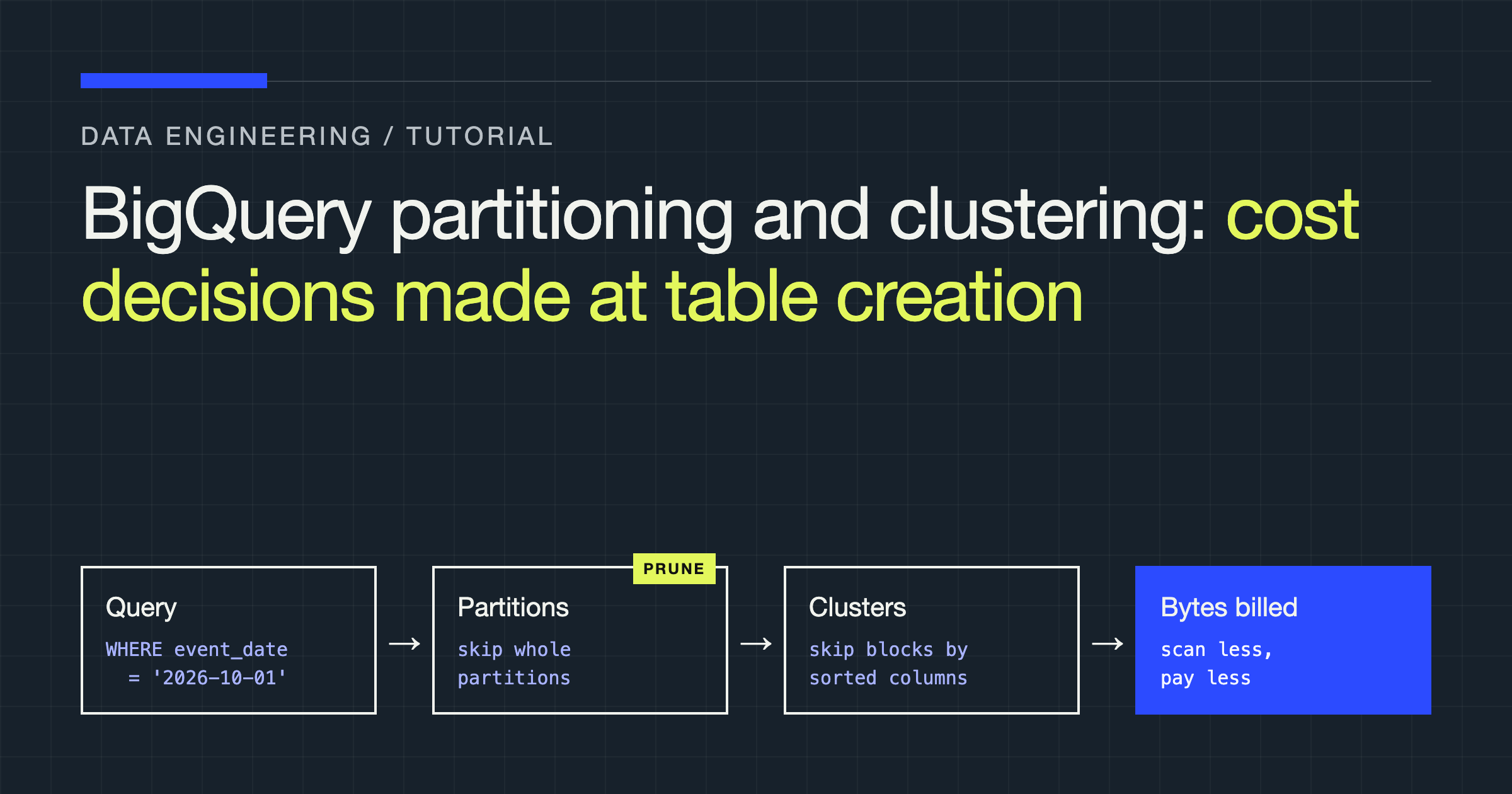
You will design the physical layout for a large events table in BigQuery: choosing a partitioning scheme, deciding whether and how to cluster, and setting the guardrails that stop a careless query from scanning everything. The uncomfortable truth this article is built around: in BigQuery you pay for the bytes your queries scan, and the decisions that determine those bytes are mostly made once, in the CREATE TABLE statement, and are painful to change afterwards.
The mental model: pruning is everything
BigQuery is a columnar store with no indexes in the traditional sense. When a query runs, the engine does not seek; it scans — but it can skip data it can prove is irrelevant. Partitioning and clustering are the two mechanisms that give it something to prove irrelevance with:
- Partitioning physically divides a table into segments, usually by date. A query with a filter on the partition column reads only the matching partitions. This is coarse, structural pruning, and it is the bigger lever.
- Clustering sorts rows within each partition by the values of up to four columns. A query filtering on clustered columns can skip blocks inside a partition. This is finer-grained pruning, and it only matters once partitioning has done its work.
Confusing the two — or expecting clustering to rescue an unpartitioned table — is the most common BigQuery cost mistake.
Choosing a partitioning scheme
BigQuery offers three partitioning flavours:
| Scheme | Partition key | Choose it when | Watch out for |
|---|---|---|---|
| Time-unit column | A DATE, TIMESTAMP, or DATETIME column, at hour/day/month/year granularity | Almost always; your data has a natural event or business date | Choosing a granularity that creates either a handful of giant partitions or a flood of tiny ones |
| Ingestion time | A pseudo-column (_PARTITIONDATE) set by when rows arrive | The table has no trustworthy date column, or arrival time is what queries filter on | Business questions about event time become awkward; backfills land in the wrong partition by definition |
| Integer range | An INT64 column with explicit start/end/interval | Queries consistently filter on a numeric ID range with even distribution | Skew: ranges are fixed at creation, and real ID distributions rarely stay even |
Default to daily partitioning on a real date column in your data. Daily granularity suits most analytics tables: partitions are big enough to be efficient, small enough that “last 30 days” style queries prune well, and partition counts stay within limits for years of history.
create table analytics.events
(
    event_id      string,
    user_id       int64,
    event_type    string,
    event_date    date,
    event_ts      timestamp,
    session_id    string,
    payload       json
)
partition by event_date
cluster by event_type, user_id
options (
    partition_expiration_days = 1095,
    require_partition_filter = true,
    description = 'Product events, partitioned by event date, clustered by type then user'
);
Two options in that DDL deserve attention:
partition_expiration_daysdeletes old partitions automatically. It is a retention policy and a loaded gun in the same setting: it will faithfully delete data your legal team wanted kept, on schedule, without asking. Set it from a written retention decision, not from a cost hunch.require_partition_filter = truemakes queries against the table fail unless they filter on the partition column. It is the strongest cost guardrail BigQuery gives you, and on large fact tables it should be on. The queries it breaks are precisely the queries that were about to scan the whole table.
Clustering: where it helps, where it is theatre
Clustering sorts rows within each partition by your chosen columns, in the order you list them. Filters and aggregations on clustered columns can then skip blocks. The judgement calls:
- Column order matters, left to right. Put the column most often used for filtering first — typically a medium-cardinality dimension like
event_type,country, orstatus. A query filtering on the second clustered column but not the first gets much less benefit. - Cardinality has a sweet spot. A column with a handful of distinct values clusters beautifully but may barely need it. A near-unique column like a raw session ID sorts rows almost randomly with respect to any filter and buys little. Medium-to-high cardinality dimensions that appear in
WHEREandGROUP BYclauses are where clustering earns its keep. - Clustering is not free of maintenance questions on loaded data. BigQuery re-clusters automatically in the background as data lands, but tables fed by many small streaming inserts can fragment; periodic patterns like scheduled batch loads cluster far more predictably than a constant trickle of tiny writes.
- Clustering a small table is theatre. If the whole table scans cheaply anyway, neither partitioning nor clustering changes your bill in any way you will notice. These features pay off at scale; applying them ritually to every table adds DDL complexity for nothing.
One subtle point: clustering also helps GROUP BY and DISTINCT on clustered columns, not only WHERE filters, because pre-sorted data aggregates more cheaply. Check your actual query patterns rather than optimising for the filters you imagine people write.
How queries defeat your layout
A well-designed table can still be scanned in full by ordinary-looking SQL:
- Filtering on a function of the partition column — wrapping
event_dateinextract()orformat_date()instead of comparing the column directly — can defeat partition pruning. Teach plain range filters on the raw column, comparing it against date-typed parameters withbetween, so the engine can resolve exactly which partitions the query needs before it reads anything. - Casting the partition column (
cast(event_date as string)) likewise breaks the engine’s ability to prune. Filters should match the column’s type, untouched. SELECT *on wide tables. Columnar storage means you pay for the columns you read. A dashboard tool that selects every column — including a fatpayloadJSON nobody displays — quietly multiplies scan cost on every refresh.- Joining without filtering the fact side. Partition pruning applies per table; a join that constrains only the dimension table still scans the entire fact table. Push the date filter into the query explicitly, on the partitioned table itself.
Changing your mind later
Some layout decisions are adjustable; the important ones are not:
| Decision | Changeable in place? | The actual path |
|---|---|---|
| Add/remove clustering on an existing table | Yes — clustering can be modified on an existing table | ALTER TABLE ... SET OPTIONS / re-clustering happens progressively |
| Change partition column or granularity | No | Create a new table with the right layout and copy the data (CREATE TABLE ... AS SELECT or a copy job), then swap names and update references |
require_partition_filter | Yes | ALTER TABLE ... SET OPTIONS (require_partition_filter = ...) |
| Partition expiration | Yes | Changing it affects future deletion behaviour; shortening it can delete history promptly, so treat the edit as destructive |
| Rename a column used in clustering | Indirectly painful | Column changes ripple into the clustering order; plan it as a small migration |
The asymmetry is the lesson: clustering mistakes are forgiving, partitioning mistakes are a migration. Spend your design time accordingly — argue about the partition column and granularity now, and let clustering choices evolve.
A decision checklist
Work through this before creating any large table:
| Question | If yes | If no |
|---|---|---|
| Do queries almost always filter by a date? | Partition by that date column, daily | Consider integer-range partitioning, or accept an unpartitioned table if it is small |
| Is the table large enough that a full scan hurts? | Partitioning plus require_partition_filter | Skip the ceremony; revisit when it grows |
| Do queries repeatedly filter or group by the same few dimensions? | Cluster by those, in filter-frequency order | Skip clustering rather than guessing |
| Is retention genuinely bounded? | Set partition expiration from the written policy | Leave expiration off — deleting by accident is worse than storing by accident |
| Are backfills common? | Prefer a real date column over ingestion-time partitioning, so backfilled rows land in their true partitions | Ingestion-time partitioning is acceptable |
Review the layout against the real workload
Table design is not a one-time event, because the workload drifts even when the schema does not. A dimension that nobody filtered on at creation becomes the primary dashboard slicer; a query pattern that arrived monthly starts running hourly. Periodically — quarterly is a sane cadence for important tables — mine your query history for the filters and groupings actually being used, and compare them against the partition and clustering choices in place. BigQuery exposes job metadata you can aggregate for exactly this: which tables are scanned most, which queries process the most bytes, and whether the expensive ones are filtering on the columns you designed for. When the evidence says the workload has moved, clustering can usually move with it cheaply. When it says the partitioning premise itself is wrong, you have the facts to justify the migration instead of a hunch — and a written record of why the new layout differs from the old one.
Verdict
Partition deliberately, cluster selectively, and guard the result. Partition on the date your queries actually filter by, at daily granularity unless your volumes prove otherwise, with require_partition_filter on for any table big enough to hurt. Cluster by the one to three dimensions your real workload filters and groups by, chosen from query logs rather than intuition. Set expiration only from a retention decision somebody signed.
And write the reasoning into the table’s description option, as the example DDL does. The engineer who inherits your table — possibly you, tired, during an incident — deserves to know whether that layout was a decision or an accident. In BigQuery, where the bill is a direct readout of physical design, layout is architecture. Treat the CREATE TABLE statement with the seriousness that implies.